A blog is a website that mainly focuses on the written concept known as blog posts. Blogging is a strong SEO tool. Blogger and WordPress are the best tools to create a free blog on Google. One can publish the ideas and thoughts of their own through blogging. browsers such as Chrome, Firefox, Safari and MS Edge for Blogging.
BLOGGER
Blogger is created by Evan Williams in 1999 which is written in Python language. It is an easily accessible platform on Google.

Follow the steps to create a free blog.
- Step 1, Sign in to Blogger with the e-mail and password.
Enter a valid email address that has not used for Blogger account

- Step 2, On the left, click the down arrow.
- Step 3, Click New blog.
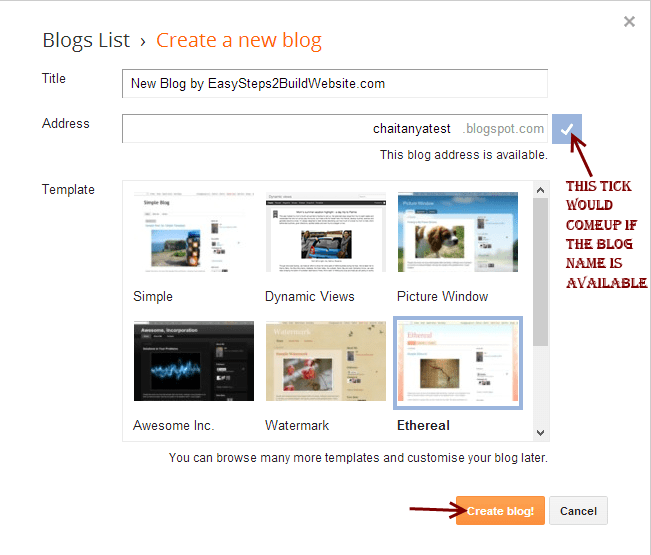
- Step 4, Enter a name for your blog.
Enter your blog name as the title. This is what people assume about your blog. Make it unique and truthful according to the content in the blog. Put the blog address. If the blog address is available a tick mark will appear.
- Step 5, Choose a blog address or URL.
- Step 6, Choose a template.
Select a template that suits your blog.
- Step 7, Click on create blog.
You successfully created a free blog in the blogger. Start blogging !!!
WordPress

WordPress is a content management system (CMS) based on PHP. It is initially released on 27 May 2003. WordPress is an excellent website platform for a variety of websites such as blogs, e-commerce, Business, News, Photography, etc.
Follow the steps to create a free blog in WordPress
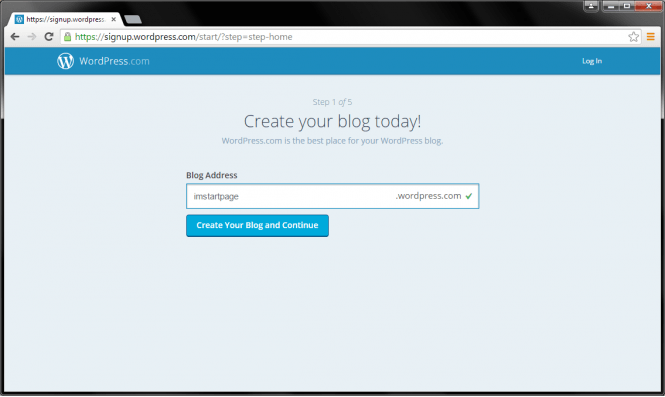
- Step 1, pick your blog name, type it in the bar, click your blog and continue.
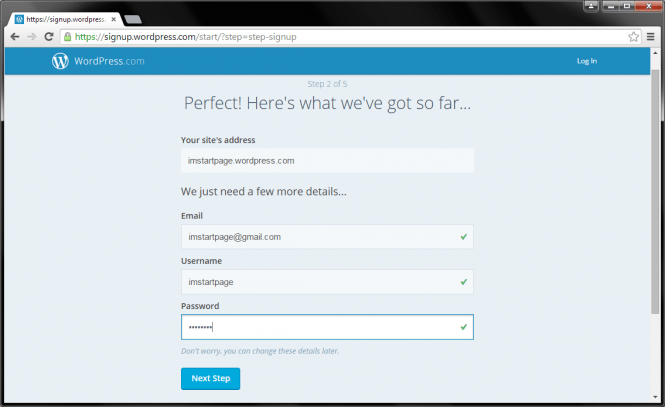
Step 2, You have to enter the email address, username, and password. If finished click on the next step.
- Step 3, You will be given the option to find the custom address. You can skip this step by clicking on the ‘No Thanks’ button.

- Step 4, Select a theme for your blog. If finished, Click on ‘Next Step’.

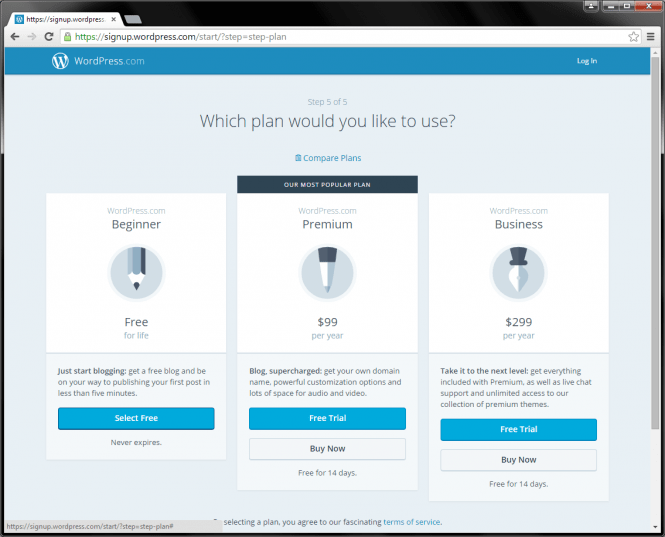
- Step 5, Pick the free option with the Select button and then click start with free. You can create new blogs from here.
So, you successfully created a free blog in WordPress. Spread your thoughts to the world!!
I hope you enjoyed this blog post and got an idea of how to create a free blog. You can read my blog about Google Analytics.
 Anju Jose SEO Analyst